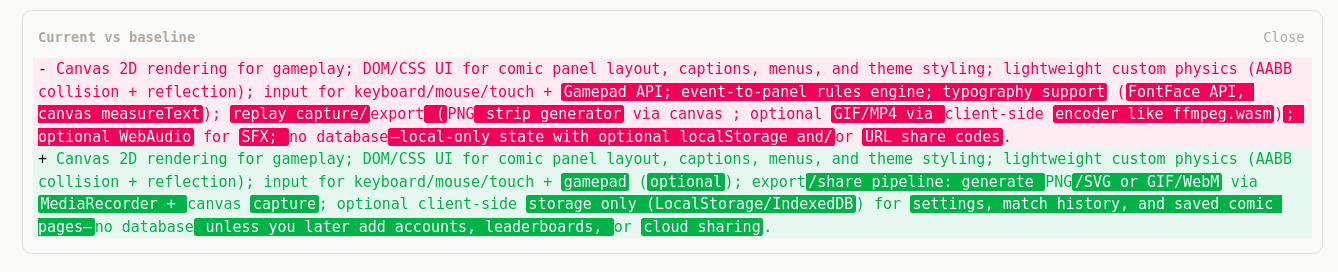
You can show unified-diff style changes (like git diff) between two strings in any web app — for example, comparing a saved baseline to the current value in a form or editor. Here’s a minimal approach using one dependency and a bit of React.
What you get
- Unified format: each line prefixed with
+(added),-(removed), or two spaces(unchanged). - Line-level diff: compute add/remove/unchanged chunks with the
diffpackage. - Word-level highlighting (optional): on changed lines, highlight only the words that changed, not the whole line.
- Familiar colors: green for additions, red for removals.
1. Install and compute the diff
npm install diff
import { diffLines, diffWords, type Change } from "diff";

function computeDiff(oldText: string, newText: string): Change[] {
  return diffLines(oldText || "", newText || "");
}
diffLines returns an array of Change objects: